
Custom automation
One plan for how your lighting, shades, climate, locks, and sensors work together, with controls people actually use.
What you can expect
- Devices from different brands respond to shared routines instead of separate apps.
- Daily moments like arrival, bedtime, opening, and closing run from a single command or schedule.
- Household members, staff, or guests get controls sized to what they need.
- You receive documentation of the platform, devices, and automations we set up.
Where it fits
In homes
- An arrival routine that opens the front door lock, turns on entry lights, and adjusts the thermostat.
- A wall keypad by the bed that sets the house for the night.
- A second home you can check and prepare from your phone before you travel.
In businesses
- Opening and closing routines for lights, climate, and shades on a schedule.
- A front-desk tablet that controls common-area scenes without exposing settings.
- Simple status dashboards for a manager who oversees several spaces.
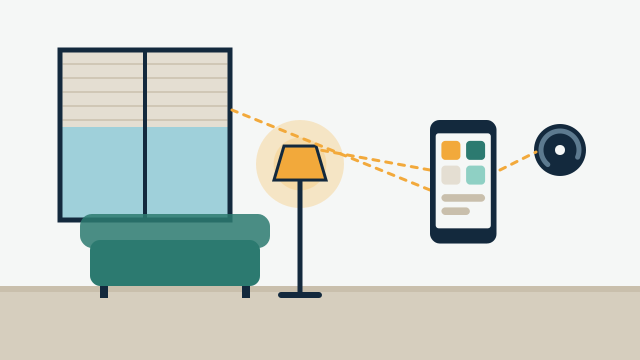
Custom automation is the layer that sits above individual devices. We choose a platform, connect the equipment to it, write the routines, and set up the controls people will touch every day. The goal is a property that behaves predictably, with one place to look when something needs attention.
What does a custom automation project include?
It includes design, setup, and handover. We start with how the property is used day to day and which moments feel clumsy today. From that we draft the routines, pick the platform, and list the devices involved. After installation we test each routine, walk you through the controls, and leave written notes on what was configured.
How we assess the equipment you already have
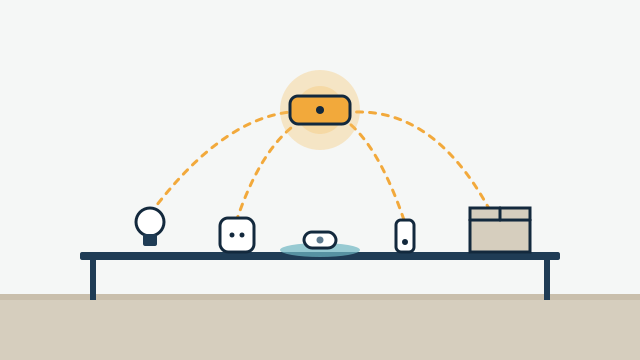
Most properties already have some smart equipment, often bought over several years from different brands. We inventory it room by room and check each item for its exact model and firmware version. Some devices connect over Wi-Fi, others use Zigbee, Z-Wave, Thread, or a manufacturer’s own radio, and some only talk through a cloud service.
Then we sort each device into one of three groups: integrate as is, integrate with a bridge or firmware update, or replace. Replacement is a recommendation, never a requirement, and we explain the reason each time.
Which platform should run the system?
The right platform depends on your devices, how much local control you want, and who will manage the system later. We are not tied to any manufacturer.
| Option | Where it tends to fit |
|---|---|
| Home Assistant | Mixed-brand systems that need detailed automations and local control on a dedicated hub |
| Apple Home, Google Home, Amazon Alexa | Households already built around one ecosystem and its phone or voice assistant |
| SmartThings | Mixed devices with a simpler app-driven setup |
| Matter (a standard, not an app) | Newer devices meant to work across several of the platforms above |
Matter devices that use Thread need a Thread border router on the network, such as a compatible smart speaker or hub. Home Assistant’s own documentation notes that its Matter integration controls devices locally. Even so, local operation depends on each device and how it is configured, so we confirm it during design.
How will people control it?
Good control design matters as much as the wiring. A few patterns cover most properties:
- Wall keypads for the actions people repeat without thinking, like “goodnight” or “all off”.
- Wall-mounted tablets for a dashboard in a kitchen, office, or front desk.
- Phone apps for remote checks and adjustments.
- Voice for hands-free commands, where a voice assistant fits the space.
For businesses, we usually give staff a limited view with only the controls they need, and keep settings behind an owner or manager account.
How does this connect to the other services?
Custom automation is the glue for the rest of our work. Lighting control, climate control, leak detection, and locks and access each work on their own, and become more useful when a single routine can coordinate them. Because SwayPC comes from networking and technical support, we also check that the Wi-Fi and network can carry the load.
Illustrative example: A Coconut Grove family has a video doorbell, a smart thermostat, several Wi-Fi plugs, and smart bulbs, each with its own app. After an assessment, the plan keeps the doorbell and thermostat, swaps the bulbs in high-use rooms for dimmer switches, and adds a local hub. A keypad by the garage door runs an “arriving home” scene, and a second button sets the house for the night.
Starting the conversation
The first step is a free consultation. Tell us what you have and what you want to change, and we’ll contact you as soon as possible to talk through options before preparing a custom proposal.
Scope and planning
What it depends on
- A stable home or business network that reaches every room with connected devices.
- A list or photos of the smart devices, hubs, and apps already in use.
- A place for a hub or controller with power and, ideally, a wired network connection.
Limitations to know
- Not every device can be integrated; we verify the exact model and firmware before promising it.
- Remote access, notifications, and cloud-only integrations need a working internet connection.
- Manufacturer app or cloud changes can break an integration and may require rework.
What affects the cost
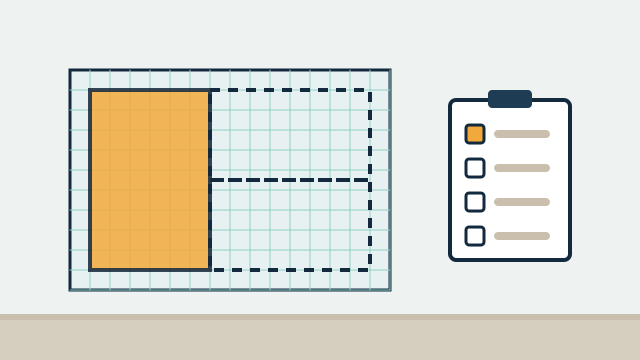
- The number of devices, rooms, and routines in scope.
- How much existing equipment can be reused versus replaced.
- The control experiences requested, such as keypads, wall tablets, or custom dashboards.
- An optional support agreement after handover, if you want one.
Every project is quoted individually after the free consultation. There's no minimum project size, and travel is included in the quote.
Questions people ask
Do I have to use a specific platform?
No. We recommend a platform for your project after reviewing your devices and how you want to use them. Home Assistant, Apple Home, Google Home, Amazon Alexa, and SmartThings are among the options, each with trade-offs we explain.
Can you work with devices I already bought?
Yes, that is where we start. We check each model and its firmware for compatibility and only recommend replacing something when there is a clear reason.
Will the system work if the internet goes down?
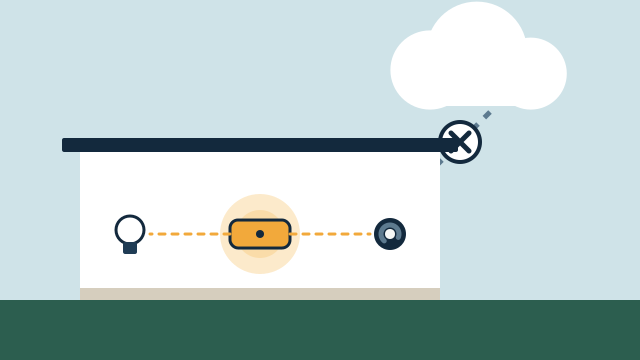
Some of it can, depending on the platform and device protocols. Local automations on a local hub may keep running, while remote access and cloud-based devices usually stop until the connection returns. We map this out for your system.
Can I start small and add more later?
Yes. There is no minimum project size, and we can plan the work in phases so later additions fit the same system.
Related services
Related reading
- What custom automation can do for a home or business
How custom automation coordinates lighting, shades, climate, access, and alerts around real routines in homes and businesses, and the limits worth knowing first. -
 Can your existing smart devices work together?
How existing smart equipment is assessed: exact models, Wi-Fi, Zigbee, Z-Wave, Thread, Matter, cloud APIs, and when reusing a device beats replacing it. -
 Local control vs. cloud automation: what keeps working, and why it matters
How local and cloud-connected automation differ during internet and power outages, vendor changes, and remote access, and which functions should run locally. -
 What affects the cost of a home or business automation project
The factors that shape an automation proposal: scope, equipment, wiring and power, integration effort, phased work, and the ongoing costs to plan for.
Sources
Tell us about your property
Answer a few short questions and the SwayPC team will contact you to arrange your free consultation and proposal. There's no minimum project size, and travel is included in every quote.