Local control means your automations run on equipment inside the property, talking directly to devices over your own network. Cloud automation means a device or app depends on a company’s servers to receive commands or make decisions. Most systems mix the two. Deciding which functions should run locally, and being clear about what still needs the internet, is one of the most practical choices in any automation project.
What is the difference between local and cloud control?
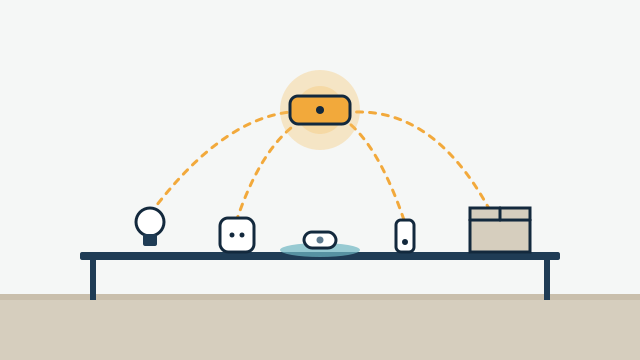
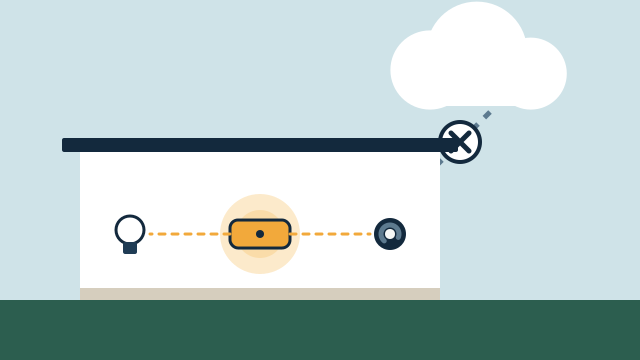
The difference is where the decision happens. With local control, a hub or controller in the home receives a sensor event and sends a command to a device without leaving the building. With cloud control, the sensor reports to a company’s server, the server decides what to do, and the command travels back to the device over the internet.
A simple test: unplug the modem and see what still responds. On a local setup, a motion sensor can still turn on a hallway light. On a cloud-dependent setup, the same sensor may report nothing until the connection returns.
Neither approach is wrong. Cloud services make setup easy, handle remote access, and spare you from maintaining a server. Local control keeps core functions running during outages and reduces dependence on any single company. The tradeoffs are what matter.
What keeps working during an internet outage?
Physical controls almost always keep working. Local automations usually keep working. Remote access and cloud-only devices usually don’t.
| Function | Local platform, local devices | Cloud-dependent devices |
|---|---|---|
| Wall switches, keypads, thermostat buttons | Work | Work, if the device has physical controls |
| Automations inside the home (motion lights, schedules, leak-triggered valve) | Usually work | Usually stop |
| App control on the home network | Often works, depending on the app | Usually stops |
| App control away from home | Stops | Stops |
| Phone notifications | Stop until the internet returns | Stop |
| Voice assistant commands | Many depend on the internet | Usually stop |
| Weather-based features and cloud integrations | Stop or fall back | Stop or fall back |
Home Assistant’s documentation describes this clearly for its own platform. It runs on hardware in the home and can keep working when the internet is down, and devices using local protocols like Zigbee, Z-Wave, and Matter don’t need an internet connection. The same page notes that devices relying only on a vendor’s cloud can’t be reached during an outage, and that Home Assistant Cloud features, including remote access and its Apple Home, Google Home, and Alexa connections, need the internet.
Other platforms handle this differently, and behavior can vary by device even within one platform. We confirm it for the specific equipment in your plan rather than assuming.
What about power outages?
A power outage affects local systems too, because the hub, router, and many devices need electricity. Battery-powered sensors keep sensing, but if the hub is off, nothing acts on what they report.
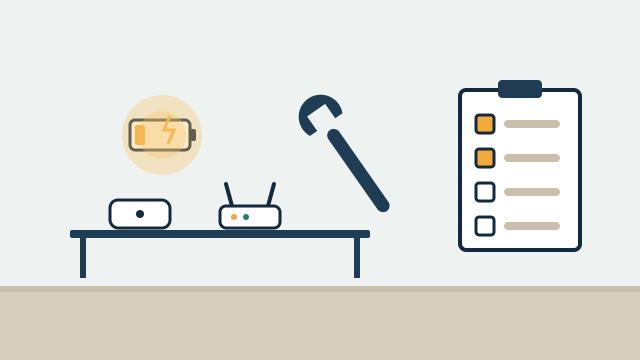
A UPS (uninterruptible power supply, meaning a battery backup) on the modem, router, and hub keeps local automations and the network running through short outages. How long depends on the battery size and the equipment’s draw. It won’t power the air conditioning or the lights, but it can keep the system aware and able to act on battery-powered devices, like a leak sensor closing a valve that has its own backup.
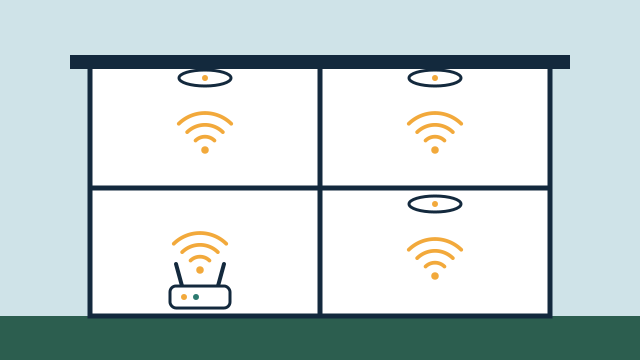
Mesh networks deserve a note. In Zigbee, Z-Wave, and Thread networks, mains-powered devices often relay signals for battery devices. When the power goes out, those relays go quiet, and some battery devices may lose their path to the hub until power returns.
South Florida’s hurricane season runs from June 1 through November 30, according to NOAA, and outages after storms are common enough that this planning belongs in every project. For properties left empty, it’s worth deciding in advance what should happen when the power comes back, since some devices return to their last state and others return to a default.
Does Matter make devices local?
Matter is designed for local control. The Connectivity Standards Alliance, which maintains Matter, describes it as a local connectivity technology. Matter devices communicate over Wi-Fi, Ethernet, or Thread, and a Matter controller in the home can control them on the local network.
A few details matter in practice:
- Remote access still needs internet. The Matter FAQ notes that Matter-only devices require an internet-connected controller to be controlled from outside the home.
- Thread needs a border router. Thread is a low-power mesh network suited to sensors, locks, and switches. A Thread border router connects that mesh to your home network. Home Assistant’s Matter documentation notes that the border router passes the data along without being able to read its content.
- Multi-admin. Matter lets one device be shared with more than one platform, so the same light could appear in Apple Home and in another controller. That flexibility is useful, but it adds a layer to troubleshoot.
- Matter doesn’t cover everything. Many devices aren’t Matter-certified, and some features of certified devices are only available in the maker’s own app.
Matter improves the odds that devices will work locally and across platforms, but we still verify the exact model, firmware, and platform before promising anything. Our article on whether your smart devices can work together covers compatibility in more detail.
What happens if a vendor shuts down a service or changes its terms?
Cloud-dependent devices are only as durable as the service behind them. Companies sometimes discontinue apps, retire older products from their cloud, move features behind subscriptions, or change how accounts work. When that happens, a cloud-only device can lose features or stop working entirely, even though the hardware is fine.
Local control reduces this exposure without eliminating it. Local devices still receive firmware updates from their makers, and local platforms need updates too. Choosing devices with documented local interfaces or open standards like Matter, Zigbee, or Z-Wave gives you more options if a company’s plans change.
Illustrative example: A Coconut Grove household has a mix of Wi-Fi plugs, a cloud-only camera system, and Zigbee sensors. The plan keeps the cameras on their own app, moves lighting and sensor automations to a local platform, and replaces two cloud-only plugs that control the entry lights with Matter devices. If the internet drops in the evening, the entry lights still follow motion and schedules; camera alerts resume when the connection returns.
How does remote access work with a local system?
Remote access always needs the internet. The question is how the connection is made. Common approaches include the platform’s own cloud relay (Home Assistant Cloud plays this role for Home Assistant), the device maker’s cloud, or a private VPN connection into the home network.
Each approach has tradeoffs in convenience, cost, and security. Opening ports on a router to reach a hub directly is generally discouraged unless it’s done carefully, because it exposes that device to the internet. We set up remote access based on how often you need it and who else needs access, such as a property manager. Because remote access runs through the network, its reliability also depends on the network behind your automation.
Who should own the accounts and the data?
The property owner should. Every cloud account, hub admin login, and platform subscription should be registered to the owner’s email or a shared business account, with credentials documented and stored securely. If an installer’s personal account holds your devices, you may have trouble making changes or transferring the property later.
Data ownership follows the same logic. Local platforms keep history, such as energy use, sensor logs, and automation records, on hardware in the property. Cloud services keep it on the company’s servers under their terms. For a business or a rental property, knowing where camera footage and access logs live, and who can see them, is worth settling before installation.
For property managers and owners who sell, include automation accounts in the handover checklist: transfer or reset accounts, remove old users, and give the new owner documented admin access.
Which functions should run locally?
Start with functions where a delay or outage would matter most, and make those local where your equipment allows. Leave convenience features in the cloud if that’s simpler.
| Usually worth running locally | Fine to leave cloud-based |
|---|---|
| Leak sensor to shutoff valve | Weather-based adjustments |
| Lighting scenes and motion lighting | Voice assistant convenience commands |
| Door lock keypads and schedules for staff or guests | Streaming services and media apps |
| Thermostat schedules and basic climate rules | Camera cloud recording, if you accept the dependency |
| Arrival and departure routines inside the home | Remote dashboards for occasional checks |
This split is a starting point. A second home in the Keys may put more weight on local reliability; a busy office may prioritize remote management.
How AppxSmart can help
AppxSmart, by SwayPC, starts by mapping what you already own and how each device depends on the internet, power, and a vendor’s service. We recommend a platform that fits your devices and how much maintenance you want, whether that’s Home Assistant, a manufacturer’s hub, or another option, and we put local control where it matters most. With SwayPC’s networking background, we also plan the network, backup power for core equipment, and secure remote access. Learn more about custom automation and ongoing support and maintenance, which covers updates and checks over time.
If you’d like an honest review of what your current system depends on, request a free consultation and we’ll contact you as soon as possible.
Questions people ask
If my internet goes down, will my lights and locks still work?
Physical controls like wall switches and lock keypads normally keep working. Whether automations and in-home app control keep working depends on the platform and the device protocol. Devices that rely only on a vendor's cloud usually can't be controlled until the internet returns.
Does Matter mean everything works without the internet?
Matter is a local connectivity standard, so Matter devices can be controlled on your home network by a Matter controller. Controlling them from outside the home still requires an internet-connected controller, and some features of the apps and voice assistants you use may depend on the internet.
Is Home Assistant the only way to get local control?
No. Home Assistant is one example of a platform that runs on hardware in the home. Other platforms and some manufacturer hubs also run automations locally to varying degrees. We choose based on your devices, your needs, and how much ongoing maintenance you want.