
Lighting control
Lighting that sets itself for arrival, evening, and closing time, with switches that still work the way people expect.
What you can expect
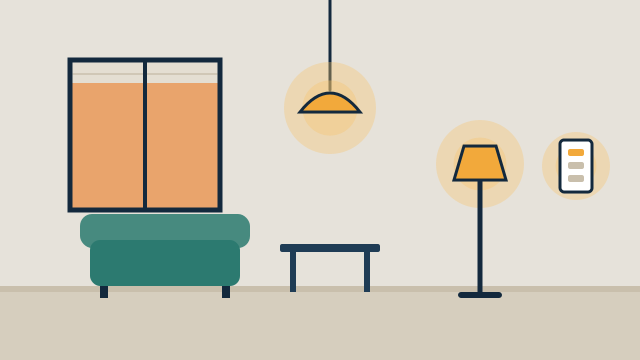
- Rooms light up to the right level with one button or on a schedule.
- Scenes, meaning one command that sets several lights at once, replace walking room to room.
- Exterior and common-area lights follow sunset and closing times without manual changes.
- Wall switches keep working normally for guests and staff.
Where it fits
In homes
- An evening scene that dims the living area and turns on path lights.
- Garden and entry lights that come on at dusk and turn off late at night.
- A vacation schedule that turns lights on and off while a second home sits empty.
In businesses
- Showroom or dining lights that change level between daytime and evening service.
- Occupancy or vacancy sensors in restrooms, storage, and back offices where supported.
- A single closing routine that turns off lights across the space.
Lighting is usually the first system people notice in an automated property, and the one that frustrates them fastest when it goes wrong. We plan it so the switch on the wall still behaves like a switch, and the automation adds to that instead of replacing it.
How does smart lighting control work in practice?
Each controlled circuit gets a smart switch or dimmer that can be operated by hand, on a schedule, or by a routine. Keypads can trigger scenes for a whole room or floor. Sensors can turn lights on or off based on movement, and the platform can tie lighting to other events, like opening the front door lock after dark.
The lighting system has to work in the dark for people who never open an app. That is why we favor switch-based control in shared rooms and reserve smart bulbs for lamps and accent fixtures.
How we assess your existing lighting
We start by opening a sample of switch boxes and noting which fixtures each circuit feeds. Three things decide most of the plan: whether each box has a neutral wire, how many switches share a box, and which LED fixtures or bulbs are installed. Many dimmer manufacturers publish compatibility lists for LED products, and we check against them before choosing a dimmer.
If you already have smart switches or bulbs, we check each model and its firmware. Some product lines are built for boxes without a neutral, which can avoid electrical work in older homes and condos. When rewiring or a new circuit is needed, that work is handled by a licensed electrician.
Which lighting protocols and platforms do you work with?
We choose based on the building and the rest of the system rather than a preferred brand. Common options include Wi-Fi switches, Zigbee and Z-Wave devices that report to a hub, Matter and Thread devices, and manufacturer systems such as Lutron that use their own radio and a bridge. Each has trade-offs in range, local control, and how it integrates with platforms like Home Assistant or Apple Home. We explain those trade-offs in the proposal.
In condos and buildings with concrete walls, radio range matters. We plan hub and repeater placement during the assessment so switches at the far end of a unit still respond.
How does lighting connect to other systems?
Lighting becomes more useful when it shares routines with the rest of the property. A “goodnight” keypad can turn off lights, lower motorized shades, and check the locks. A business closing routine can switch off lights and set back the thermostat through climate control. These connections are designed through custom automation.
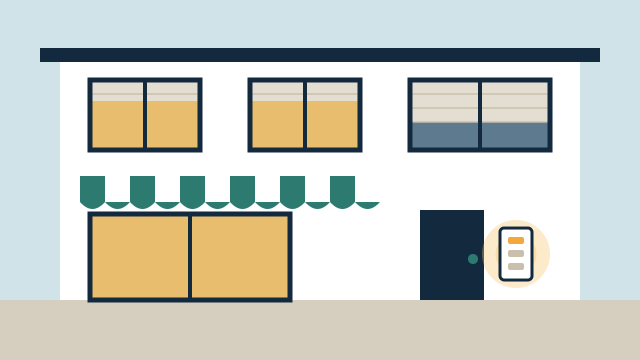
Illustrative example: A small Hollywood retail shop has a dozen switches by the back door that staff flip one by one every evening. The plan replaces them with smart switches and a two-button keypad. “Open” brings the sales floor and signage up, and “Close” turns everything off except a low light in the storefront window. The individual switches still work if someone needs one zone.
Getting started
Tell us about your current switches, fixtures, and any smart lighting you already own through the free consultation form, and we’ll contact you as soon as possible to discuss a lighting plan.
Scope and planning
What it depends on
- Access to the switch boxes and knowledge of which circuits feed which fixtures.
- Compatible bulbs or fixtures, especially LEDs that need to dim smoothly.
- Network coverage or a hub location that reaches every switch, depending on the protocol.
Limitations to know
- Some smart switches require a neutral wire that older boxes may not have.
- Not every LED dims cleanly with every dimmer, so we check compatibility first.
- New circuits or panel changes are handled by a licensed electrician where required.
What affects the cost
- The number of switches, dimmers, keypads, and sensors.
- Box conditions, including missing neutrals or crowded multi-gang boxes.
- Whether existing smart lighting can be reused or needs a bridge.
- How many scenes, schedules, and integrations with other systems are in scope.
Every project is quoted individually after the free consultation. There's no minimum project size, and travel is included in the quote.
Questions people ask
Should I use smart bulbs or smart switches?
It depends on the room. Smart switches control every fixture on a circuit and keep the wall switch working for everyone. Smart bulbs suit lamps and color-changing uses, but they stop responding if someone turns off the wall switch.
What is the difference between occupancy and vacancy sensing?
An occupancy sensor turns lights on when it detects someone and off after the space is empty. A vacancy sensor only turns lights off automatically; someone still switches them on. Which one fits depends on the room and the device you choose.
Can you keep the lighting brand I already have?
Often, yes. We verify the exact model and how it communicates, then integrate it with your platform directly or through the manufacturer's bridge.
Related services
Related reading
- Lighting scenes for homes and businesses: how to plan them
How to plan lighting scenes for arrival, evening, night paths, and business opening and closing, plus what to check on wiring, dimmers, LEDs, sensors, and controls. -
 Condo and retrofit automation: working within building rules
How to automate a condo or older home without new wiring: association approvals, building network limits, battery devices, shades, locks, and fan coil thermostats. -
 Automation for offices, retail, and hospitality: what is worth automating
Practical automation for small businesses: lighting schedules, comfort, staff access by role, opening and closing routines, guest controls, and network separation.
Tell us about your property
Answer a few short questions and the SwayPC team will contact you to arrange your free consultation and proposal. There's no minimum project size, and travel is included in every quote.