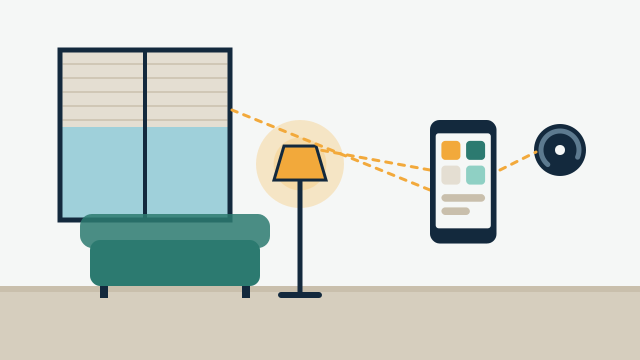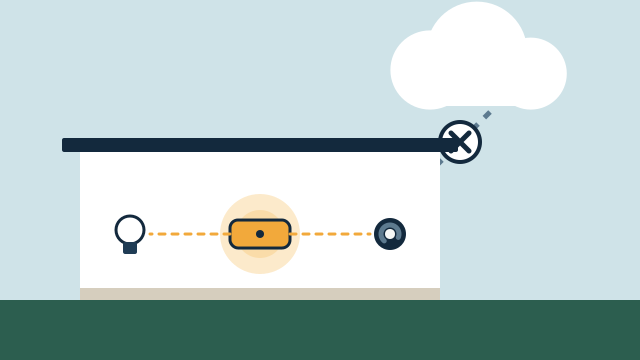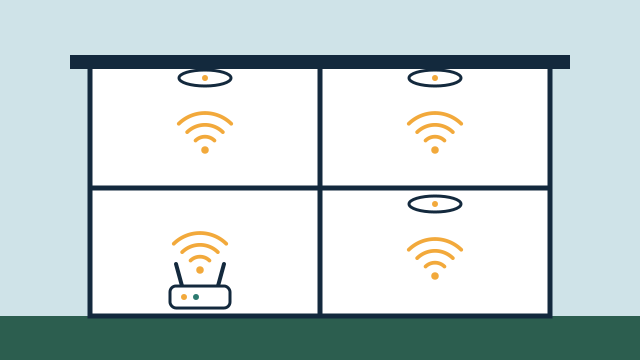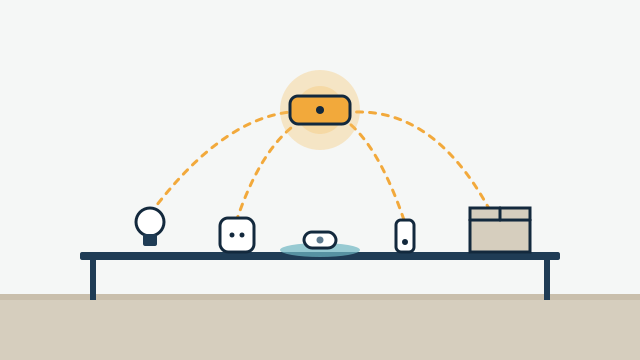
Often yes, at least in part. Many smart devices bought over the years from different brands can be brought into one coordinated system, but whether a specific device can join depends on its exact model, its firmware, how it communicates, and which platform runs the system. That is why the honest first step is an assessment of what you already own, done before anyone recommends new equipment.
Why don’t my devices work together already?
Most consumer smart devices are designed to work first with their own manufacturer’s app. Each brand runs its own account, its own cloud service, and sometimes its own radio, so devices that sit in the same room may have no direct way to talk to each other.
Voice assistants and home apps such as Apple Home, Google Home, Amazon Alexa, and SmartThings can pull some of these devices into one place. The results vary. One brand’s lock might show up with full status and code management, while another only shows locked or unlocked. A thermostat might accept schedule changes from one platform and only on/off from another. Getting everything into a single list is the easy part. Making the devices respond to each other reliably takes planning.
How is existing equipment assessed?
An assessment answers one question for each device: can the platform chosen for this project control it reliably, and with which features? We verify the exact model before promising integration, because look-alike products from the same brand can behave differently.
The process usually follows this order:
- Inventory. Record the brand, the full model number, and the firmware version of each device, plus the app or hub it uses today. Model numbers are usually on a label, in the device’s app, or on the original box.
- Connection type. Identify how each device communicates: Wi-Fi, Zigbee, Z-Wave, Thread, Bluetooth, or a brand’s own radio through a bridge.
- Integration path. Check whether the platform supports the device locally, through the manufacturer’s cloud, through Matter, or not at all, and which features come across.
- In-place testing. Where it makes sense, test the device on site, because placement and network coverage affect how it behaves.
- Network review. Check Wi-Fi coverage and congestion, and where hubs and radios can sit.
This is also where customer-purchased equipment gets reviewed. If you’ve already bought devices for the project, we look at them the same way and tell you which ones fit.
Which wireless protocols are involved, and how do they differ?
Smart devices use a handful of common communication methods, and each one has different requirements. Knowing which ones are in a property tells you what hubs or radios the system will need.
| Protocol | How it works | What it needs | Things to know |
|---|---|---|---|
| Wi-Fi | Devices join your normal wireless network | Good coverage where the device sits | Many Wi-Fi devices depend on the manufacturer’s cloud; large numbers of them can strain a weak network |
| Zigbee | Low-power mesh network where mains-powered devices relay signals | A Zigbee coordinator (hub or radio adapter) | A device can join only one coordinator’s network at a time; some brands add non-standard features |
| Z-Wave | Low-power mesh radio designed for home and commercial control | A Z-Wave controller | Frequencies differ by region, so devices must be made for the US market |
| Thread | Low-power, IPv6-based mesh network | A Thread border router, such as some smart speakers, streaming boxes, or hubs | Mostly used today as a transport for Matter devices |
| Matter | Shared standard for how devices describe and accept commands, running over Wi-Fi or Thread | A Matter controller from the platform you use | One device can be shared with more than one ecosystem; feature coverage varies by device type |
| Proprietary radio | A brand’s own wireless system | That brand’s bridge or hub | Integration depends on what the bridge exposes to other platforms |
A few details from official documentation are worth knowing:
- Zigbee mesh. The Connectivity Standards Alliance describes Zigbee as a self-organizing, self-healing mesh designed for low power use. Home Assistant’s Zigbee documentation notes that some manufacturers deviate from the standard, which can mean certain devices show partial features or need extra handling.
- Thread border routers. Apple’s support documentation explains that Thread accessories in Apple Home need a Thread-capable home hub, such as an Apple TV 4K, or a compatible third-party border router. Home Assistant’s Matter documentation likewise says Thread devices need a border router near the device.
- Matter and bridges. Home Assistant’s Matter documentation states that a Matter controller only controls Matter devices. A bridge can present some older devices as Matter devices, but there is no guarantee every device behind that bridge will come across.
What about devices that only work through a cloud app?
Many cloud-connected devices can still be integrated, through an official cloud API, meaning a documented interface the manufacturer offers for other software. The trade-off is dependence on the internet and on that company’s service.
Home Assistant groups integrations by how they communicate. “Local push” and “local polling” talk to the device directly on your network. “Cloud push” and “cloud polling” go through the manufacturer’s servers. Its documentation is blunt about the cloud side: such an integration “doesn’t work if the internet is down or the company stops support.”
That doesn’t make cloud devices a bad choice. A video doorbell that relies on its maker’s cloud may still be the right device for the front door. It does mean that an automation depending on it, such as turning on the porch light when someone rings, will stop working if the internet is down. Our article on local control versus cloud automation goes further into these trade-offs, including what to expect during outages after a storm.
Should you reuse a device or replace it?
Reuse it if it integrates reliably with the chosen platform and does what the project needs. Replace it when it can’t be integrated, when it would depend on a cloud service for something you need to work locally, or when it has a history of dropping off the network.
| Keep the device when… | Consider replacing it when… |
|---|---|
| The platform supports it with the features you need | It has no supported integration, or only basic on/off |
| It responds reliably in its location | It drops offline often, even after network fixes |
| Cloud dependence is acceptable for its role | A routine you count on during outages relies on its cloud |
| It still gets firmware updates | The manufacturer has ended support or discontinued the product |
| Replacing it would require new wiring or wall repairs for little gain | A replacement removes a separate hub, app, or subscription you don’t want |
Cost matters in this decision, but so does the role a device plays. A slow-to-report smart plug on a lamp is a small annoyance. A front door lock that sometimes fails to report its status is a bigger problem.
Illustrative example: A homeowner in Coconut Grove has Wi-Fi smart plugs from one brand, Zigbee motion sensors from another, two Z-Wave door locks from an earlier renovation, and a pair of newer Matter-over-Thread light switches. In this scenario, the assessment might find that the locks and sensors work well through a local hub with the right radios, the Matter switches can be shared to the same platform, and two of the smart plugs only offer cloud control with slow updates. The proposal would keep most of the equipment and suggest replacing those two plugs only if they’re needed in a routine that should run without the internet.
Illustrative example: A property manager oversees several condo units, each with a different lock brand chosen by past owners. Rather than replacing every lock at once, the assessment would sort them into locks that support remote code management through a supported integration and locks that don’t. The plan could then phase in replacements for the second group as units turn over.
Does the network affect compatibility?
Yes. A device that is technically compatible can still perform poorly if the network or radio placement is weak, so network review is part of every assessment.
Wi-Fi devices at the edge of coverage, such as a lock on a gate or a camera on a dock, often cause most of the trouble. Zigbee and Wi-Fi also share the 2.4 GHz band, and Home Assistant’s Zigbee documentation recommends keeping the coordinator away from Wi-Fi access points and USB 3.0 devices, which are known to cause interference. In Florida homes with concrete block walls, impact windows, and detached structures, coverage often needs more planning than in a lighter-built house.
SwayPC’s background is in networking and technical support, so we look at the network as part of the automation plan. Our guide on why networking matters for automation explains what a solid foundation looks like.
How AppxSmart can help
AppxSmart, by SwayPC, starts every custom automation project by assessing the equipment already in the property and any devices you’ve already bought. We integrate what is compatible, explain which features will and won’t come across, and recommend replacements only where they’re justified. When the network needs work first, our Wi-Fi and networking service covers it in the same plan.
If you have a mix of devices and want to know what can work together, request a free consultation. A list of your current devices and model numbers helps us prepare, and we’ll contact you as soon as possible.
Questions people ask
Will Matter make all of my current devices compatible?
No. Matter works with devices built or updated to support it. Some older products can be added through a bridge, but bridges may expose only some device types or features. Devices without Matter support still need their own integration, if one exists.
I bought some devices outside the United States. Will they work here?
It depends on the device. Z-Wave devices use different radio frequencies by region, so a device made for another region won't join a US network. Wi-Fi and Zigbee devices may work, but power ratings, plugs, and app availability also need checking.
Can a device stay in Apple Home or Google Home and also join another system?
With Matter devices, often yes. Matter allows a device to be shared with more than one controller, so it can appear in Apple Home and in a platform like Home Assistant at the same time. Non-Matter devices depend on what each manufacturer supports.