Custom automation makes the devices in a property act together around the way people actually use it. Instead of a separate app for each device, a planned system connects them to daily routines and sensor events, and gives each person a control they can understand. It has real limits too: it can’t make incompatible equipment cooperate, it doesn’t replace licensed trades, and it can’t guarantee outcomes. Both sides are worth understanding before you plan a project.
What does “custom automation” actually mean?
It means a system designed for one property and the people in it, built from equipment chosen or verified for that job. The custom part is the planning: which events should cause which actions, who gets which controls, and what should happen when the internet or the power is out.
Most platforms describe automation with the same three pieces. A trigger is the event that starts something, such as a door opening or sunset. A condition is a check the system makes before acting, such as “only if nobody is home.” An action is what the system then does. Home Assistant’s documentation describes automations as a way to “automatically respond to things that happen in and around your home,” and Google Home builds its Routines from starters and actions in much the same way.
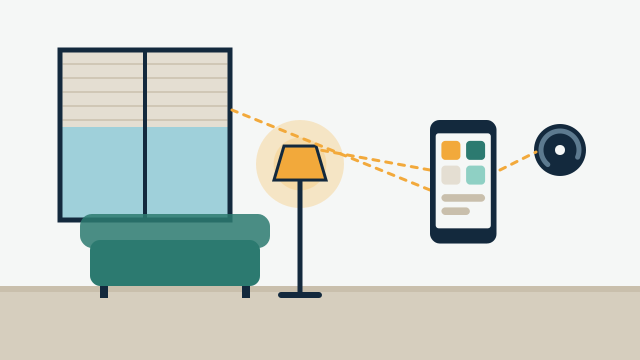
The other building block is the scene, meaning one command that sets several devices to saved states at once. “Evening” might dim the living room to 40 percent, lower the west-facing shades, and set the thermostat for the night. Routines and keypad buttons can both call the same scene.
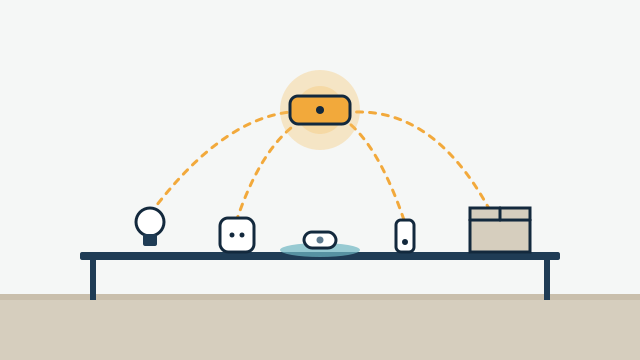
Setting a timer on a single smart plug is automation in a narrow sense. A custom project differs because the pieces are planned together: the network that carries the signals, the hub or platform that runs the logic, the devices, and the controls people touch every day.
What can a coordinated system control?
Almost any system that has a supported way to be controlled or to report its status can become part of the plan. The practical limit is the exact equipment: two thermostats that look alike can offer very different integration options, so we verify the exact model before promising integration.
| Area | What automation can do | What it depends on |
|---|---|---|
| Lighting | Scenes, schedules, occupancy-based on and off, dimming by time of day | Compatible switches or dimmers; some models need a neutral wire in the box |
| Shades | Open and close by schedule, sun position, or scene | Motorized hardware, plus power or a battery plan |
| Climate | Setpoints by schedule or occupancy, away modes, humidity awareness | A thermostat compatible with the HVAC equipment |
| Water | Leak alerts, closing a supported shutoff valve | Sensor placement; valve installation coordinated with a licensed plumber where required |
| Locks and access | Lock and unlock, scheduled codes, entry notifications | Lock model, bridge or hub, network coverage at the door |
| Cameras and doorbells | Live view, motion or ring notifications, turning on lights | Whether the camera brand supports integration; many rely on cloud services |
| Audio and video | Source selection, volume, room or zone scenes | Equipment with a supported control interface |
| Energy | Visibility into usage by circuit or device | Monitoring hardware and the electrical panel layout |
| Pool and irrigation | Schedules, remote status, pausing watering | Whether the controller supports integration |
Each of these can work on its own. The value of a custom project shows up in the combinations: the “leaving” routine that locks the doors, turns off the lights, and sets the thermostat back, or the leak alert that also closes a valve and sends a message to the property manager.
What does it look like in a home?
In a home, automation usually serves a few daily moments: waking up, leaving, arriving, evening, and bedtime. Second homes add another set built around checking on the property from a distance and preparing it before someone arrives.
Illustrative example: A family in Coral Gables wants the house to feel ready when they come home in the evening. When the garage door opens after sunset, the entry and kitchen lights come on at a comfortable level, the living room shades close, and the thermostat leaves its away setting. At 10:30 p.m. a “goodnight” button by the bedroom door turns off the remaining lights, locks the front door, and confirms on the owner’s phone that the garage is closed.
Illustrative example: An owner keeps a second home in the Florida Keys and visits a few times a year. Between visits, the system holds the thermostat at a setting chosen to help manage indoor humidity, reports leak sensor alerts, and shows whether the doors are locked. Two days before a trip, the owner switches the house to “arriving,” which brings the temperature back to a comfortable range. When a storm knocks out power, the owner gets a message that the system went offline, since the hub can’t report anything until power and internet return.
The second example shows something that matters in South Florida. Hurricane season and the outages that follow storms are part of planning. A system can be designed to recover cleanly when power returns and to tell you when it went offline, but it cannot report events while it has no power or connection.
What does it look like in a business?
In a business, automation tends to focus on repeatable opening and closing routines and on giving the right people access at the right times.
Illustrative example: A small retail shop in Miami opens at 10 a.m. At 9:30 the system turns on the back-of-house lights and brings the HVAC out of its overnight setting. At opening, the display lighting and music come on. At closing, one button on a keypad by the back door turns off lights and music, sets the thermostat back, and sends the manager a notification that the store was closed, including which door was used.
Illustrative example: A boutique guesthouse wants to give each cleaning vendor a lock code that works only during their scheduled hours. Codes are added and removed from one place, and the manager sees a log of entries. Guest rooms have a simple keypad with “bright,” “relax,” and “off,” so guests never need an app.
Commercial projects raise extra planning questions, such as who manages user access when staff changes and whether the network is shared with point-of-sale or guest Wi-Fi. Building management may also have rules about installing equipment. Our page on automation for businesses covers these in more detail.
Which controls do people actually use?
The best control is the one that fits the person using it at that moment. Owners often like apps and voice. Guests, children, house staff, and employees usually do better with physical controls that behave the way they expect.
- Wall keypads and smart switches. They work for everyone and should still act like a normal switch if the hub has a problem, where the hardware allows it.
- Automatic routines. Triggered by time, sun position, a door, or a sensor. The best ones go unnoticed.
- Phone apps. Useful for remote checks and changes, and for the people managing the system.
- Voice assistants. Convenient for hands-free scenes, with the trade-off that most voice processing depends on internet access.
A practical test during planning is to ask what a house sitter or a new employee would need to know on day one. If the answer is “download three apps,” the design needs more work.
What can’t automation do?
Automation coordinates equipment that already has the capability. It doesn’t add abilities a device lacks, and it doesn’t remove the need for upkeep. Being clear about this up front avoids disappointment later.
- It is not life-safety or alarm monitoring. Leak sensors give alerts and can close a supported valve, but they don’t prevent all water damage. Fire, carbon monoxide, and intrusion monitoring belong with dedicated, professionally monitored systems.
- It can’t guarantee savings. Schedules and away modes can help you manage energy use, but results depend on the building, the equipment, and how people live or work there.
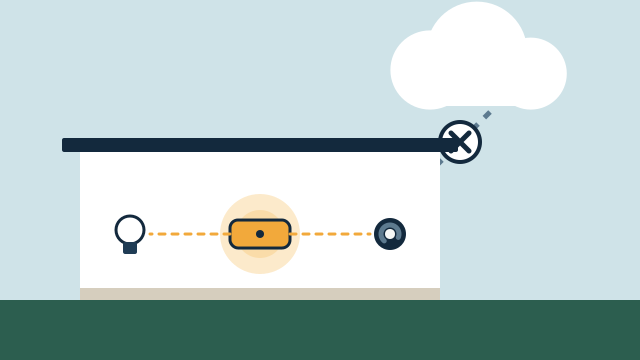
- Remote features usually need the internet. Local control is possible on many platforms for many devices, but remote access, notifications, and cloud-only integrations stop when the connection does. Our guide to local control versus cloud automation explains the difference.
- Compatibility is model-specific. A brand that integrates today may change its service later, and firmware updates can change behavior.
- It needs care over time. Batteries run down, apps update, and devices get replaced. Someone has to own the system.
- It doesn’t replace licensed trades. New circuits, panel work, and plumbing for shutoff valves are handled by appropriately licensed trades, coordinated as part of the project where required.
Matter, the connectivity standard from the Connectivity Standards Alliance, is improving how devices from different brands work together, and it is supported by Apple Home, Google Home, Amazon Alexa, SmartThings, and Home Assistant. It helps, but it doesn’t cover every device type or every feature, and older equipment may never support it.
How do you decide where to start?
Start with the routines that cause the most friction today, then grow from there. A first phase might cover lighting scenes and the “leaving” routine. A later phase might add shades or leak detection once the core system is stable.
Three questions help frame a first conversation:
- Which moments in the day feel clumsy or repetitive right now?
- What equipment is already installed, and which of it do you want to keep?
- Who else uses the property, and how comfortable are they with technology?
If you already own devices, our article on whether your smart devices can work together explains how compatibility gets assessed. If budget is on your mind, what affects the cost of an automation project walks through the factors that shape a proposal.
How AppxSmart can help
AppxSmart, by SwayPC, plans and installs custom automation for homes and businesses from Hollywood through Key West. We start with the equipment you already have, choose a platform that fits the project rather than a single brand, and design controls around the people who will use them. Installation, hardware, and support are part of a custom proposal, and travel is included in each quote.
If you’d like to talk through what would help in your home or business, request a free consultation and we’ll contact you as soon as possible.
Questions people ask
Do I have to replace the smart devices I already own?
Not necessarily. We assess what you have first, integrate what is compatible with the platform chosen for the project, and recommend replacements only where a device can't do the job or would make the system unreliable.
Can guests, family members, or staff use the system without installing an app?
Yes, if it is planned that way. Wall keypads, smart switches that still work as normal switches, and automatic routines let people use the property without a phone. Apps are then an extra for the people who want them.
What happens to automations when the internet goes down?
It depends on the platform and the devices. Automations that run on a local hub with locally connected devices can keep working, while remote access, notifications, and cloud-only integrations usually stop until the connection returns.