For a small office, shop, restaurant, or boutique hotel, the useful automations are the ones that take repeated chores off the staff. That means lights on and off at the right times, comfortable rooms when people arrive, doors that open for the right people at the right hours, and a closing routine nobody forgets. Business automation also needs things a house can skip, such as user roles, protected settings, separate networks, and a clear answer to who supports it.
Which automations are most useful for each type of business?
Start with whatever staff do the same way every day. The table shows common starting points.
| Business type | Useful first automations | Things to watch |
|---|---|---|
| Office | Lighting schedules, thermostat schedules by zone, door access by role, conference room scenes | After-hours overrides, cleaning crew access, meeting room AV |
| Retail | Opening and closing routines, sign and display lighting schedules, comfort near entrances | Staff who open alone, alarm handoff, keeping customers comfortable without blasting the AC |
| Restaurant or café | Dining room lighting scenes by time of day, music zones, back-of-house access | Kitchen equipment stays under its own controls; cleaning schedules |
| Hospitality (small hotel, rental units) | Room arrival settings, simple guest controls, staff access, common-area lighting | Guest privacy, resetting rooms between stays, guest network separation |
The best first project is usually small. One routine that works every day earns more trust from staff than a dozen that need explaining.
How should lighting schedules work in a business?
Use a fixed schedule for business hours, a sunset-based schedule for exterior and sign lighting, and a simple manual override for exceptions. Sunset-based timing (an “astronomical” schedule) follows the actual sunset through the year, so you don’t adjust timers when the season changes.
Overrides matter as much as schedules. Staff working late need a way to keep lights on without calling anyone, and the system should return to its schedule afterward. A keypad by the back door with “staying late” and “leaving now” buttons is often enough. Cleaning crews may need their own scene with full lighting in specific areas.
Our article on lighting scenes for homes and businesses explains scenes, keypads, and dimming in more detail.
Illustrative example: A Coral Gables boutique runs window display lighting from opening until a set hour after sunset, turns on sales floor lighting fifteen minutes before opening, and dims the floor to a cleaning level at closing. A “late night” button by the stockroom holds the closing scene for two hours.
How can automation help with comfort?
Schedule the HVAC around occupied hours and set limits on what staff can change. According to the U.S. Department of Energy, simple packaged HVAC equipment in small commercial buildings is typically controlled by a thermostat, which makes the thermostat the main point of control for most small businesses.
Useful comfort features include:
- Separate schedules for each HVAC zone, so the back office doesn’t cool the empty conference room.
- Setpoint limits, so a thermostat can only be adjusted within a range you choose.
- An “after-hours” button that runs the HVAC for a set time and then returns to the schedule.
- Humidity monitoring in storage rooms, wine rooms, or anywhere inventory is sensitive to damp air.
In South Florida, set unoccupied temperatures with humidity in mind. A space that warms up too much overnight can feel clammy at opening and may take a while to recover. We cover schedules and humidity in smart thermostats and climate control.
How do opening and closing routines work?
A routine runs several steps from one action, such as a keypad button, a door unlock by the first employee, or a scheduled time. Opening and closing are where routines save the most repeated effort.
A closing routine might:
- Confirm that doors and selected windows report closed.
- Lock the doors that are part of the automation system.
- Set lighting to the after-hours or security level.
- Move the HVAC to its unoccupied setting.
- Turn off selected equipment on controlled outlets, such as displays or music.
- Send a short confirmation to the manager on duty.
Keep the alarm system’s arming procedure under the alarm provider’s guidance. Some alarm panels can share status with an automation platform, but whether that is possible depends on the exact panel and your provider’s terms.
How should staff access be organized?
Create access by role, and give each person their own credential. A manager, an employee, a cleaning crew, and an HVAC vendor need different doors at different hours. Smart locks and access systems commonly support individual codes, cards, fobs, or phone credentials, often with time schedules.
| Role | Typical access | Typical controls |
|---|---|---|
| Owner or administrator | All doors, all hours | Full settings, user management |
| Manager | All business doors, extended hours | Schedules, overrides, staff codes |
| Staff | Staff entrance, business hours | Keypads and room scenes only |
| Cleaning crew or vendor | Specific door, specific days and hours | Cleaning scene, if any |
Individual credentials make offboarding simple, because removing one person’s access doesn’t affect anyone else. Many systems also keep an activity record that shows which credential opened which door. Smart locks, garage doors, and access control covers lock types and access management.
What guest-facing controls make sense in hospitality?
Keep guest controls few and obvious, and reset them between stays. Guests benefit from a clear way to adjust lighting, temperature, and shades in their room. They don’t need a complicated app or a voice assistant tied to someone else’s account.
Points to plan for:
- Labeled keypads beat apps for guests who are only staying a few nights.
- A “check-out” routine for staff should reset temperature, lighting, and shades, and clear any guest-specific settings.
- Room door codes should change for every stay and expire at check-out.
- Avoid placing cameras in private guest spaces, and follow the laws and platform rules that apply to your property.
- Voice assistants and streaming devices in guest rooms need a plan for clearing accounts and history.
Why separate guest, business, and IoT networks?
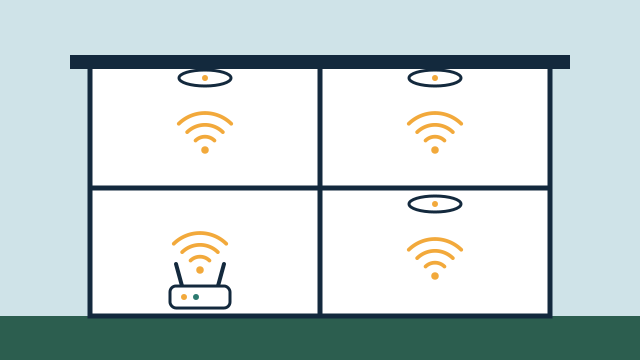
Separation limits what a compromised or misbehaving device can reach. In CISA’s Cybersecurity Performance Goals, segmenting networks by trust boundaries and platform types (with examples including IT, IoT, and guests) is listed as a goal, allowing only the traffic each segment needs. CISA’s home Wi-Fi guidance makes a similar point for simple setups, recommending that smart devices that only need internet access be placed on a guest network.
For a small business, a practical layout usually has at least three segments:
| Network | Who or what uses it | Typical rules |
|---|---|---|
| Business | Staff computers, point-of-sale, printers, servers | Not reachable from guest or IoT networks |
| Guest | Customer and guest devices | Internet only; devices isolated from each other |
| IoT and automation | Hubs, thermostats, locks, cameras, speakers | Only the connections the automation platform needs |
Your payment processor or IT provider may have their own requirements for the business network, and those come first. Some automation platforms need specific discovery traffic between segments, which is why network design and automation design belong in the same plan. See why networking matters for automation.
Who should be able to change the system, and who supports it?
Limit administrator access to one or two people, and write down who to call. A business system should survive staff turnover. That means admin accounts belong to the business rather than to an employee’s personal email, passwords are stored where the owner can retrieve them, and everyday users can run scenes without changing schedules.
Support can be handled per visit or through a support agreement. Agreements define the hours, response commitments, remote and onsite scope, and fees, so the business knows what to expect when a door code fails before opening.
When is a building automation system or a licensed security integrator the better choice?
Bring in a dedicated building automation provider or a licensed security contractor when the building or the requirement goes beyond what a small-scale system should carry. The Department of Energy describes building automation in larger commercial buildings as often involving several vendors with proprietary hardware, software, and protocols, with installation and commissioning that usually require specialized expertise.
That route usually makes sense when:
- The building has central plant equipment, rooftop units managed as a group, or an existing building management system (BMS).
- Several tenants share systems, or a landlord controls HVAC and entry.
- You need monitored intrusion alarms, fire alarm systems, or emergency response, which are handled by licensed security and fire alarm contractors.
- Insurance, a franchise agreement, or a corporate standard specifies particular equipment.
In those cases, a smaller automation layer can still handle lighting scenes, AV, and staff convenience, alongside the main systems and without controlling them.
How AppxSmart can help
AppxSmart, by SwayPC, plans and installs automation for offices, shops, restaurants, and small hospitality properties from Hollywood through Key West. We start with your existing equipment and daily routines, then design lighting control, comfort, access, and network separation around how your staff actually work. When a project calls for a BMS provider or a licensed security contractor, we say so. To talk through your space, request a free consultation and we’ll contact you as soon as possible.
Questions people ask
Can a small office use the same smart home platforms as a house?
Often, for lighting, shades, thermostats, and door access in a small space. The difference is in how it is set up. Business use needs user roles, protected settings, network separation, and a clear support plan. Larger or multi-tenant buildings usually need commercial-grade systems.
Can automation replace our alarm company?
No. Monitored intrusion alarms, fire alarms, and emergency response are handled by licensed security and fire alarm contractors. Automation can sit beside those systems and handle convenience tasks such as lighting, comfort, and staff routines.
What happens to schedules if the internet goes down?
It depends on the platform. Some controllers keep running schedules locally as long as they have power, while cloud-dependent devices may stop responding. We explain which parts of your system need internet before installation.