
Cameras and video doorbells
See the front door, the driveway, or the back office from one place, with storage and privacy choices you understand.
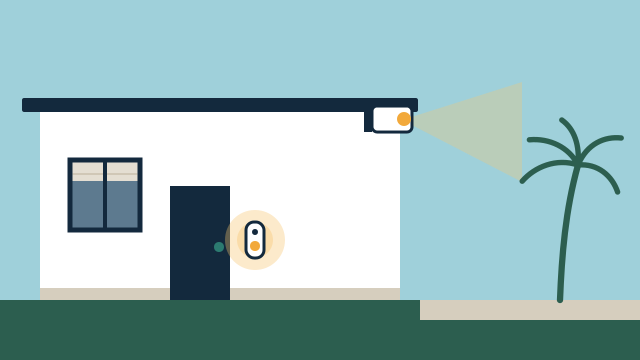
What you can expect
- Answer the door from your phone or a supported screen inside the property.
- Check live and recorded video from cameras you chose to install, in one app where the platform allows it.
- Get alerts for the events you care about instead of every passing car.
- Tie the doorbell or a camera event to lights or a lock where the equipment supports it.
Where it fits
In homes
- A video doorbell that shows deliveries and visitors while you are at work or out of town.
- Driveway and side-yard cameras for a second home that sits empty for weeks.
- Porch lights that turn on when the doorbell detects someone after dark.
In businesses
- Entrance and stockroom cameras that managers can review from the office or remotely.
- A video intercom at a staff or delivery door that rings the right person.
- Recorded video kept on a local recorder with access limited to named staff.
How camera integration works in practice
Most camera projects start with a short list of places you want to see and the moments you want to know about. From there we pick camera positions, decide where video is stored, and decide which alerts reach which people. The goal is a small number of well-placed cameras you actually check, rather than a wall of feeds nobody watches.
A camera system has three parts that can come from different makers: the cameras, the place recordings are kept, and the app or platform you use to view them. Some brands bundle all three. Others let a local recorder or an automation platform pull in the video stream. Which arrangement fits depends on how much you want everything in one app, how you feel about cloud storage, and what the equipment actually supports.
How we assess cameras you already have
We start with the cameras and doorbells already on the property, or the ones you bought and haven’t installed. For each one we note the exact model, firmware, power source, and how it connects. Then we check whether it can share live video, events, or doorbell presses with the platform you use.
The answers vary a lot. Some doorbells only ring inside their own app. Some cameras expose a standard video stream that a recorder or platform such as Home Assistant can display. Others offer integration with Apple Home, Google Home, or Amazon Alexa for viewing and announcements, with features that differ by ecosystem. We verify the exact model before promising integration, and we recommend replacing a device only where the gap matters to you.
Privacy choices we walk through with you
Cameras raise privacy questions for the people inside the property and for neighbors. We plan these with you rather than leaving them to defaults:
- Placement and angle. Aim at your door, driveway, or entrance instead of a neighbor’s window or a shared hallway. Many cameras support privacy zones that mask part of the image.
- Storage. A local recorder or memory card keeps video on the property. Cloud storage keeps a copy off-site but usually means a subscription and video leaving the building.
- Access. Decide who can view live video and recordings, and remove access for former staff or tenants.
- Audio. Recording sound carries its own legal considerations, so we discuss whether audio should be turned off on some cameras.
For businesses, the policy on who reviews video and how long it is kept is yours to set. We configure the system to match it.
Connecting cameras to the rest of the property
Once video is in place, a doorbell press or a motion event can trigger other actions where the equipment allows: turn on porch lights at night, show the front door on a TV, or announce a visitor on a speaker. Paired with a smart lock, you can see who is at the door before you let them in.
Video uses more bandwidth than almost anything else on a smart property, and a weak signal at the edge of the house is the most common reason a camera drops offline. That is why camera projects often include a look at the Wi-Fi and network.
Illustrative example: A Coconut Grove homeowner has a video doorbell, two Wi-Fi cameras from another brand, and a garage camera that keeps disconnecting. After an assessment, the doorbell and one camera stay, the garage camera moves to a wired PoE connection, and the porch lights turn on when the doorbell detects someone after sunset. The owner keeps one cloud plan for the doorbell and stores the other cameras locally.
Getting started
Tell us what you want to see and what you already own through the free consultation. We’ll contact you as soon as possible, look at the equipment, and send a proposal that lists what will be reused, what would be added, and any subscription costs that come with it.
Scope and planning
What it depends on
- A Wi-Fi or wired network that reaches each camera location with enough upload bandwidth for remote viewing.
- Power at each location, from a doorbell transformer, an outlet, or a PoE network switch.
- Exact camera and doorbell models identified so we can confirm what integrates with your platform.
- Permission from your condo association or landlord where mounting on shared walls requires it.
Limitations to know
- This is not professional alarm monitoring; no one watches your cameras or dispatches help.
- Some cameras only show video in the manufacturer's own app, or only with a paid plan.
- Remote viewing and most notifications need a working internet connection.
- Battery cameras save power by recording short clips, so they can miss part of an event.
- Cameras record what happens; they do not prevent theft, damage, or break-ins.
What affects the cost
- Number of cameras and doorbells, and how hard each location is to reach and wire.
- Whether new cabling or PoE switching is needed versus using existing power.
- Storage choice: local recorder or memory card versus a cloud subscription.
- How much integration with lights, locks, or a wider automation platform you want.
- Whether existing cameras can be reused or need to be replaced.
Every project is quoted individually after the free consultation. There's no minimum project size, and travel is included in the quote.
Questions people ask
Can you connect the cameras I already own?
Often, yes. We check the exact model and firmware first, because some brands share video with other platforms and others keep it inside their own app.
Do I need a monthly subscription?
It depends on the equipment. Some cameras record to a local recorder or memory card with no plan, while others need a paid cloud plan for recorded history or smart alerts. We show you the trade-off before you buy.
Will my cameras work if the internet goes down?
Cameras that record locally can keep recording if they still have power, but you will not see live video or get alerts remotely until the connection returns.
Do you provide alarm monitoring?
No. We integrate cameras and doorbells for your own viewing and alerts. If you need professional monitoring or emergency dispatch, that comes from a licensed monitoring company.
Related services
Related reading
- Integrating cameras and video doorbells: placement, privacy, storage, and network
How to plan cameras and video doorbells that work with the rest of your property: placement, privacy and audio, local vs. cloud storage, subscriptions, and PoE. -
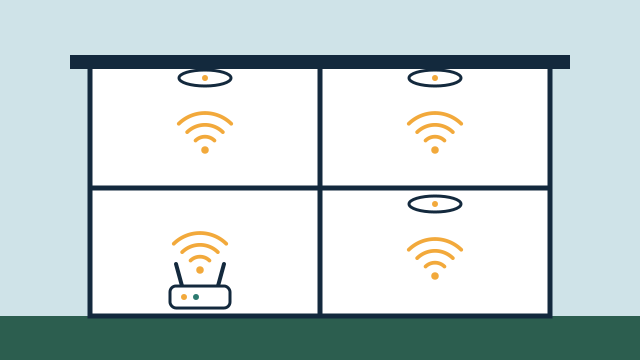 Why networking matters for automation: coverage, wiring, and reliability
Why Wi-Fi coverage, wired backhaul, 2.4 GHz device support, separate smart-device networks, and backup power decide how dependable your automation feels. -
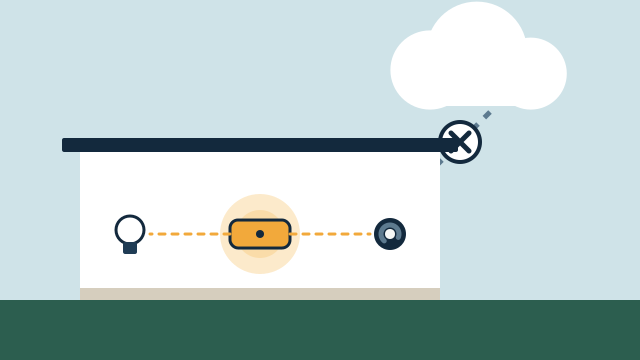 Local control vs. cloud automation: what keeps working, and why it matters
How local and cloud-connected automation differ during internet and power outages, vendor changes, and remote access, and which functions should run locally.
Tell us about your property
Answer a few short questions and the SwayPC team will contact you to arrange your free consultation and proposal. There's no minimum project size, and travel is included in every quote.