Integrating cameras and video doorbells means more than mounting them and installing an app. It means deciding what each camera should see, where the video is stored, who can view it, and how camera events connect to lights, locks, and notifications. This guide walks through those decisions for homes and businesses, with the trade-offs that usually decide which approach fits.
What does it mean to integrate cameras with the rest of a property?
Integration means camera and doorbell events can reach the rest of your system, and you can view video where you already control things. In practice, that usually includes three capabilities, and each depends on what the specific camera model exposes to your platform.
- Viewing. Live video or snapshots on a phone, a wall tablet, or a TV, ideally without opening a separate app for each brand.
- Events. A doorbell press, a person detected in the driveway, or motion at the side gate becomes a trigger for other actions.
- Notifications. The right people get the right alerts, and routine motion doesn’t wake anyone up.
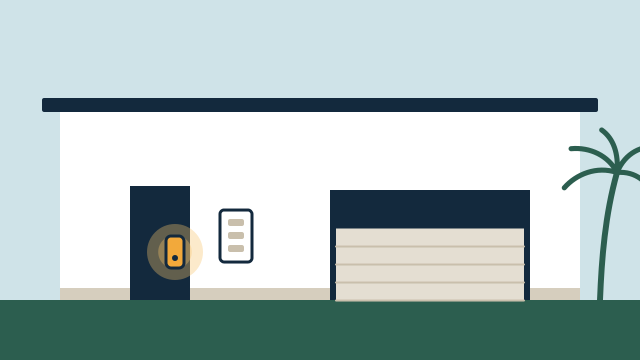
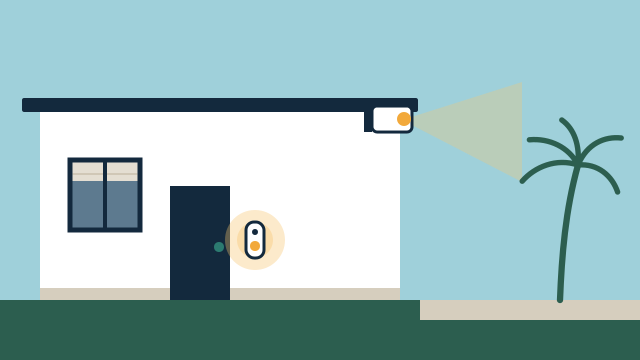
Illustrative example: In a two-story home in Coconut Grove, a doorbell press turns on the entry lights after sunset, announces “someone is at the front door” on the kitchen speaker, and shows the doorbell video on the family room TV. Motion in the backyard after midnight sends a notification to the owners’ phones only. During the day, backyard motion is recorded but doesn’t notify anyone.
How far this goes depends on the brands involved. Some cameras share live video and events with many platforms. Others share only a subset, or none, and keep features such as event history and smart detection inside their own app. We verify the exact model against your platform before promising that a feature will work outside the manufacturer’s app.
Where should cameras and doorbells go?
Put cameras where they answer a real question, such as “who is at the door,” “did the package arrive,” or “is the gate closed,” and aim them away from places where people expect privacy. Good placement also cuts false alerts.
Common placements and what to watch for:
| Location | Typical purpose | Placement notes |
|---|---|---|
| Front door (doorbell) | Visitors, deliveries | Mount at the height the manufacturer recommends; check that bright afternoon sun doesn’t wash out faces |
| Driveway and garage | Vehicles, arrivals | Angle away from the street where possible to reduce passing-car alerts |
| Side gates and pool area | Access points, pool gate | Consider outdoor ratings for humidity and salt air near the coast |
| Back of house or dock | Activity after hours | Plan lighting; many cameras switch to infrared at night with a shorter useful range |
| Interior (homes) | Pets, empty second homes | Disclose to household staff and guests; consider privacy shutters or schedules that turn interior cameras off when people are home |
| Interior (businesses) | Registers, entries, stock rooms | Follow your counsel’s guidance on notice and restricted areas |
Neighbors. A camera aimed at your driveway may also capture a neighbor’s yard or windows. Many cameras support privacy zones (masked areas the camera doesn’t record) and motion zones (areas that do or don’t trigger alerts). We set both during installation, and it’s courteous to keep cameras focused on your own property.
Short-term rentals. If the property is rented, check the listing platform’s current rules on cameras before installing anything, especially indoors.
Florida conditions. Direct sun, heavy rain, humidity, and salt air are hard on outdoor equipment. We check each camera’s outdoor rating and operating range, and we prefer mounting locations with some cover when the view allows it.
What about recording audio?
Many cameras and nearly all video doorbells can record audio, and some do so by default. Audio raises separate legal questions from video. Florida’s statutes include a section on the interception of oral communications (section 934.03), which includes an exception when all parties to a communication have given prior consent. How that law applies to a particular camera, location, and situation depends on the facts.
We aren’t attorneys and can’t give legal advice. Our practical approach:
- Ask the owner, before installation, whether audio recording is wanted at each camera.
- Turn off audio recording on cameras where it isn’t needed, when the model allows it.
- Recommend that businesses and owners with staff or tenants consult an attorney about audio, notice, and signage before enabling recording.
Two-way talk on a doorbell (speaking to a visitor through the app) is a separate setting from recording, and we explain the difference during handover.
Local storage or cloud: which is right?
Cloud storage keeps video on the manufacturer’s servers, usually under a subscription, and adds remote history and smart features. Local storage keeps video on hardware at the property, such as a network video recorder (NVR) or a memory card, with no required monthly fee for storage. Many properties use a mix.
| Factor | Cloud recording | Local recorder (NVR) | Memory card in camera |
|---|---|---|---|
| Ongoing cost | Usually a subscription | Hardware and drive replacement over time | Card replacement |
| History length | Set by the plan | Set by drive size and camera count | Short; limited by card size |
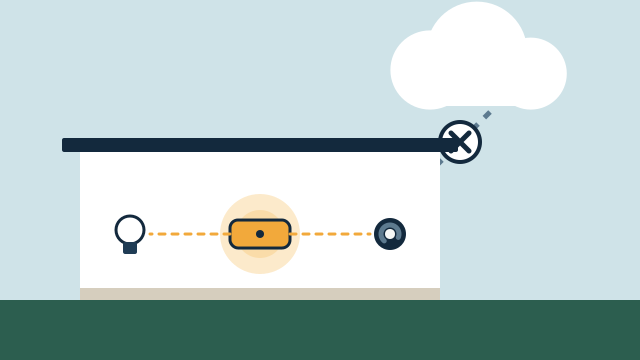
| During internet outage | Typically no upload or remote access | Keeps recording if powered | Keeps recording if powered |
| If the device is stolen | Video already off-site | Recorder should be hidden or secured | Card leaves with the camera |
| Smart features | Often richer, sometimes plan-dependent | Depends on the recorder | Usually limited |
| Maintenance | Manufacturer handles storage | Drives, updates, backups | Card health checks |
Subscription details vary by brand and change over time, so check them at purchase. As one example, Google’s help center currently describes newer wired Nest cameras as offering up to 6 hours of event video previews without a subscription, with longer event history and 24/7 history on eligible wired cameras available through Google Home Premium plans. Google also notes that battery-powered Nest cameras only get event history unless connected to power, and the battery doorbell doesn’t get 24/7 history.
Privacy features can change what integrates. Ring offers optional video end-to-end encryption, meaning only your enrolled phones can decrypt the video. Ring’s support article lists features that become unavailable when it’s turned on, including shared users, viewing on ring.com, Alexa and Fire TV viewing, and third-party integrations. Ring also states that it cannot help recover access to encrypted videos if you lose your keys. That trade-off is worth deciding on purpose.
How do platform dependencies affect integration?
Every camera brand ties some features to its own app and cloud. Before buying, ask which of these you can live without when viewing from your main platform: event history, smart detection types, two-way talk, and doorbell chime behavior.
General patterns we see:
- Consumer cloud cameras often work best inside their own ecosystem (for example, Ring with Alexa, Nest with Google Home). Integration with other platforms ranges from full to limited.
- Local recorder systems often support standard video streams that more platforms can display, including Home Assistant, but smart detection and app features depend on the recorder.
- Matter, the smart home standard, has been adding camera support, but device and platform support varies. We verify the exact model and platform version rather than assuming.
Platforms also change. Manufacturers rename plans, move features between tiers, and retire older models. Choosing equipment with a local option, or at least one that doesn’t leave you without access if a subscription lapses, reduces that risk.
What does the network need for cameras?
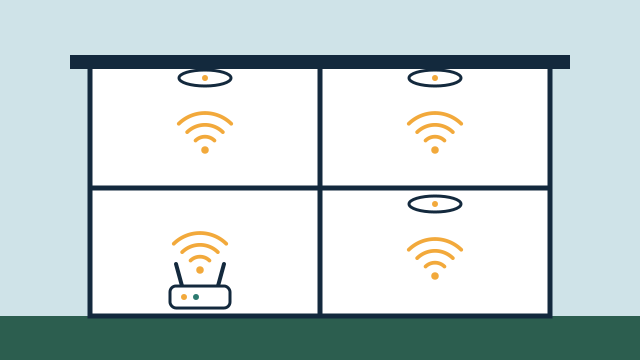
Cameras are the heaviest users on most smart home networks. A wired Power over Ethernet (PoE) camera, which gets power and data through one network cable, is usually the most dependable choice. Wi-Fi cameras work when the signal is strong, but each one uses airtime that other devices share.
Planning points:
- Upload bandwidth. Cloud recording sends video out of the property continuously or on every event. Internet plans often have far less upload than download speed, so several cloud cameras can saturate an upload connection. We check your plan’s upload speed before recommending cloud recording for many cameras.
- PoE budget. A PoE switch has a limit on total power. Cameras with heaters, spotlights, or pan-tilt motors draw more, so the switch has to be sized for all of them.
- Cable paths. Running Ethernet to outdoor locations may need attic access, exterior conduit, or coordination with a builder. In condos, association rules may limit exterior penetrations.
- Power during outages. An uninterruptible power supply (UPS) on the recorder, switch, and router keeps local recording going through short outages. It won’t run them through a long one.
- Security basics. Change default passwords, use unique passwords, turn on two-factor authentication, and keep camera firmware and apps updated, as the FTC recommends for connected devices.
Our article on why networking matters for automation covers coverage, wired backhaul, and separate networks for smart devices in more detail.
What cameras do not do
Cameras and doorbells show and record what happens. They do not provide professional monitoring or emergency response, and they don’t guarantee that every event is captured or every alert arrives. Notifications depend on power, the network, internet service, and the manufacturer’s cloud. If you need monitored security, that’s a separate service from a licensed provider, and we can coordinate around it.
How AppxSmart can help
The SwayPC team behind AppxSmart reviews the cameras you already own, the views you need, and your network and internet plan. We then recommend a storage approach, place and configure cameras with privacy zones and sensible alerts, and connect them to your lights, locks, and notifications where the models support it. See our cameras and doorbells service and our guide to smart locks and access control for how video and access work together. When you’re ready, request a free consultation and we’ll contact you as soon as possible.
Questions people ask
Can I view all my cameras in one app?
Often, but with trade-offs. Many platforms can show live views or snapshots from several brands, while features like full event history, smart alerts, or two-way talk may remain in each brand's own app. We verify what each exact model exposes to your platform before promising a single view.
Do cameras keep recording when the internet goes down?
Cameras that record to a local recorder or memory card can keep recording if they still have power and a local network. Cloud-only cameras typically can't upload during an outage, and remote viewing and notifications stop until the connection returns. Behavior varies by model.
Do I need a subscription?
It depends on the brand and how much history you want. Some cameras offer only short event history without a plan, while local recorders store video on your own hardware without a monthly fee. We lay out the options and ongoing costs in the proposal.