
Audio, video, and entertainment control
Start music, a movie, or a presentation with one simple control instead of three remotes and a guess.
What you can expect
- Turn on the TV, the right input, and the sound system with one button or a voice command where supported.
- Play music in one room, several rooms, or outdoors from the app you already use.
- Include audio and video in scenes, meaning one command that also sets lights and shades.
- Give guests, family, or staff a simple control they can learn in a minute.
Where it fits
In homes
- A movie scene that dims the lights, lowers the shades, and turns on the TV and soundbar.
- Music on the patio and in the kitchen at the same time, controlled from a phone.
- A simplified remote setup for a rental or second home so guests aren't stuck on the wrong input.
In businesses
- Background music in a shop, lobby, or restaurant on a schedule, with volume set per zone.
- A conference room where one button starts the display and the right source for a meeting.
- Lobby or waiting-area screens that turn on at opening and off at closing.
What audio and video integration covers
Audio and video integration means getting the screens, speakers, and sources in a property to respond to a few clear controls. We handle TVs, soundbars, receivers, streaming devices, wireless and wired speakers, and conference room displays. We focus on everyday use: what happens when someone wants music in the kitchen, the game on the patio, or a laptop on the meeting room screen.
How devices actually accept control
Each device has its own way of taking commands, and that decides what is possible. HDMI-CEC lets devices connected by HDMI turn each other on and switch inputs, though brands implement it differently and it can be unreliable between makers. Network control lets an app or automation platform talk to a TV or receiver over the local network when the manufacturer allows it. Infrared is the old remote-control signal; it works on many devices but sends commands blind, without confirming that the device responded.
For music, many speakers stream over Wi-Fi through their own app or through casting or AirPlay where supported. Multi-room audio from a single brand tends to stay in sync more reliably than a mix of brands. Platforms such as Home Assistant, Apple Home, Google Home, or Amazon Alexa can tie these pieces together, each with different strengths and device support.
How we assess your existing equipment
We list each TV, receiver, soundbar, speaker, and streaming device by exact model, and check how it connects and how it can be controlled. A good receiver or set of in-ceiling speakers from a few years ago is often worth keeping. We recommend replacing a device only when it blocks something you asked for, such as a TV that cannot be turned on by anything except its own remote.
We also look at the network, since streaming and speaker groups depend on it. Audio dropouts often trace back to weak Wi-Fi coverage rather than the speakers themselves, which is why AV projects often include a Wi-Fi and networking review.
Connecting entertainment to the rest of the property
Audio and video become more useful as part of scenes. A movie scene can dim lighting, lower motorized shades, and start the TV. An opening routine in a shop can start background music and turn on lobby screens at the same time each morning.
Illustrative example: A small hotel lobby in Miami Beach has a TV, a ceiling speaker system, and a streaming box that staff restart by hand most mornings. In this example the TV and music start on a schedule at opening, staff get one tablet control for volume and source, and everything turns off after closing. The existing speakers stay; only the streaming box and a small amplifier are replaced.
Planning for Florida conditions
Outdoor speakers and screens on a patio, pool deck, or dock face sun, humidity, and salt air. We recommend outdoor-rated equipment for those spots and placement that limits direct exposure, and we set expectations that coastal equipment will need attention sooner than indoor gear.
Getting started
Tell us which rooms matter and what you already own through the free consultation. We’ll contact you as soon as possible and follow up with a proposal that shows what will be reused and what each option involves.
Scope and planning
What it depends on
- A stable network where streaming devices and speakers connect, ideally wired for fixed equipment.
- Power and cable paths to TVs, speakers, and equipment locations.
- The exact models of TVs, receivers, soundbars, and speakers you want to keep.
- Accounts for the streaming or music services you plan to use.
Limitations to know
- Not every TV, receiver, or speaker accepts control from outside its own remote or app.
- Streaming services and voice assistants change features on their own schedule, which can change what a control can do.
- Outdoor speakers and screens near the coast need outdoor-rated equipment and still wear faster in salt air.
- Public performance licensing for background music in a business is the business's responsibility.
What affects the cost
- Number of rooms or zones and how many TVs, speakers, and sources each one has.
- Whether in-wall or in-ceiling speakers need new wiring or can use existing runs.
- Reusing current equipment versus adding receivers, amplifiers, or streaming devices.
- Type of control: phone app, voice, wall keypad, or a dedicated remote.
- Integration with lighting, shades, or a wider automation platform.
Every project is quoted individually after the free consultation. There's no minimum project size, and travel is included in the quote.
Questions people ask
Can you make my current TV and sound system work together?
In many cases, yes. We check how each device accepts control, such as HDMI-CEC, network control, or infrared, and then design around what the exact models support.
Do I need to open walls for speakers?
Not always. Wireless speakers and soundbars avoid new wiring, while in-wall or in-ceiling speakers usually need cable runs. We explain both options and what each involves in your space.
Will the system keep working if the internet goes down?
Local sources and local control often keep working. Streaming services, voice assistants, and cloud-based apps need internet, so those parts stop until the connection returns.
Related services
Related reading
- Audio, video, and entertainment control: bringing it together
How scenes, multi-room audio, TV and streaming control, and outdoor speakers can work together, and the real limits of IR, HDMI-CEC, and network control. -
 Lighting scenes for homes and businesses: how to plan them
How to plan lighting scenes for arrival, evening, night paths, and business opening and closing, plus what to check on wiring, dimmers, LEDs, sensors, and controls. -
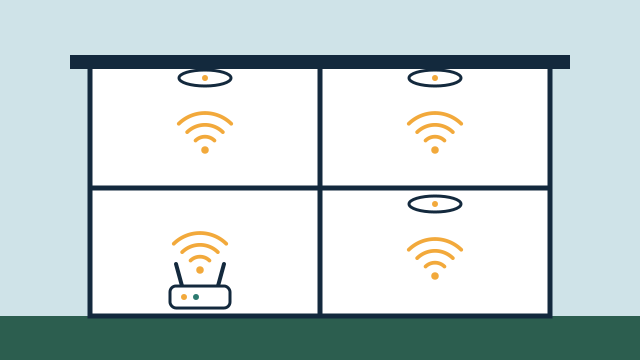 Why networking matters for automation: coverage, wiring, and reliability
Why Wi-Fi coverage, wired backhaul, 2.4 GHz device support, separate smart-device networks, and backup power decide how dependable your automation feels.
Tell us about your property
Answer a few short questions and the SwayPC team will contact you to arrange your free consultation and proposal. There's no minimum project size, and travel is included in every quote.