Energy monitoring tells you how much electricity a property uses, when it uses it, and, depending on the level you choose, which equipment is responsible. There are three common levels: whole-home, circuit, and plug. Each answers a different question, and the right mix depends on what you want to learn. Monitoring is a measurement tool, so any change in your bill comes from what you decide to do with the information.
What can energy monitoring tell you?
Monitoring shows patterns you can’t see on a monthly bill. You can see the baseline your property draws when nobody is doing anything, the times of day when use peaks, and how a change in thermostat settings or pool pump schedule shows up in the numbers.
For a South Florida property, the air conditioning usually runs for much of the year, so it is often the first thing owners want to see. Other common questions involve the water heater, the pool pump, a second refrigerator in the garage, or equipment that was supposed to be off in a closed-up second home.
A useful way to start is to write down two or three questions before choosing hardware. “Why is our bill higher than last summer?” points to whole-home and circuit data. “Is the wine cooler in the garage expensive to run?” can be answered with a single plug-level meter.
How do whole-home, circuit-level, and plug-level monitoring differ?
The difference is where the measurement happens. Whole-home monitors measure the main feed into the panel. Circuit-level monitors measure individual breakers. Plug-level meters sit between one device and its outlet.
| Level | What it measures | Typical installation | Best for | Limits |
|---|---|---|---|---|
| Utility smart meter | Total use for the account | Already installed by the utility | Monthly, daily, and hourly trends where the utility provides them | Not live; no detail by appliance |
| Whole-home monitor | Total use, often near real time | Current sensors (clamps) on the service conductors inside the panel | Live total, baseline load, spotting spikes | Doesn’t say which load caused a spike |
| Circuit-level monitor | Selected breakers or all circuits | Clamps on individual circuit wires inside the panel | Air conditioning, water heater, pool equipment, dryer, range | Limited by number of sensors and panel space |
| Plug-level meter or smart plug | One plug-in device | Plugs into an outlet | Refrigerators, entertainment equipment, small appliances | Only 120-volt plug-in loads; adds a device per outlet |
Home Assistant’s energy documentation describes smart plugs as sitting between the device and the outlet to measure the energy flowing through that device. That works well for a home office or a media cabinet, but large 240-volt loads, like most central air conditioning systems, electric water heaters, and many pool pumps, are hardwired and need circuit-level measurement instead.
Who installs panel sensors?
Whole-home and circuit-level sensors are installed inside the electrical panel, next to energized conductors. That work is handled by appropriately licensed electricians. We plan the monitoring, choose hardware that fits your platform and panel, and coordinate the electrical work rather than treating it as a do-it-yourself step.
Panel space matters too. Some monitors need a nearby outlet or a dedicated breaker for their own power, a spot for the device itself, and a Wi-Fi or wired network connection that reaches the panel location. Panels in garages and utility rooms are often at the edge of Wi-Fi coverage, so the network deserves a look before installation.
Illustrative example: A Coconut Grove homeowner wants to understand summer bills. The plan uses a whole-home monitor on the mains plus circuit sensors on the two air conditioning systems, the water heater, and the pool pump, with an electrician handling the panel work. A smart plug goes on the garage refrigerator. After a few weeks, the owner can compare those large loads against the total and decide which, if any, to adjust.
What about solar panels and home batteries?
Solar and battery visibility depends on what the inverter or battery system exposes. Some systems provide data locally on your network, some only through the manufacturer’s cloud, and some through both. Home Assistant’s documentation notes that some solar inverters have APIs that can be read directly, and that current sensors on the right wires can measure production when an integration isn’t available.
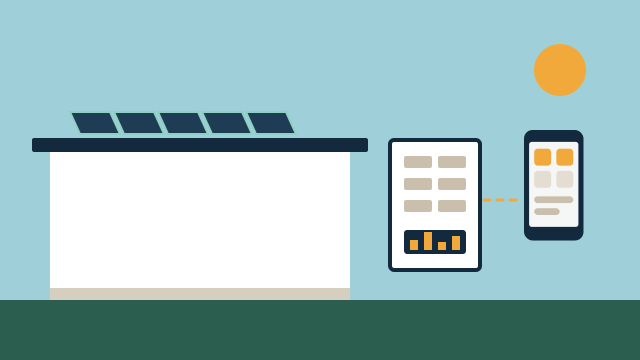
To see the full picture, a platform needs production (what the panels generate), consumption (what the home uses), and grid flow (what goes to or comes from the utility). With a battery, it also needs charge and discharge data. Home Assistant’s Energy dashboard, for example, supports grid, solar, battery, individual devices, gas, and water as separate sources. Other platforms and manufacturer apps offer their own dashboards with different levels of detail.
Before promising any of this, we verify the exact inverter and battery model, its firmware, and whether its data is available locally or only through a cloud account. If the data lives only in the manufacturer’s cloud, an internet outage or a change to that service can interrupt it.
Is measuring energy the same as controlling it?
No. Measurement and control are separate jobs, and planning them separately avoids disappointment. A monitor tells you a pool pump drew a certain amount during the afternoon. Changing that requires a device that can actually schedule or switch the pump, and an automation that connects the two.
Control options usually come from the equipment itself or from devices rated for the load:
- Thermostats control the air conditioning schedule and setpoints. Our article on smart thermostats and climate control covers what to consider there.
- Pool equipment controllers or variable-speed pump settings handle pump schedules. See pool and irrigation automation for more.
- Smart plugs and switches can turn off smaller plug-in or lighting loads within their rated capacity.
- Load controllers and relays for large hardwired equipment are electrical work handled by licensed electricians and need equipment rated for the circuit.
Some automations combine both. For instance, a notification if the whole-home baseline stays high overnight in an empty second home, or a reminder when the dryer finishes. Those are useful, but they are alerts and routines built on data, not guarantees about cost.
What limitations should you expect?
Expect useful trends rather than billing-grade precision. Consumer monitors are not the utility’s revenue meter, and their readings can differ slightly from your bill. Clamp sensors also need to be placed and configured correctly, which is one reason to plan circuit labels before installation.
Other limitations worth knowing:
Cloud dependence. Some monitors send data only to the manufacturer’s service. If that service changes its terms or stops operating, your history and live view may go with it. Monitors with a documented local interface are easier to keep long term. Our article on local control versus cloud automation explains this tradeoff.
Utility data timing. Utility portals typically update on a schedule. FPL, for example, states that its smart meter data is collected daily and that monthly, daily, and hourly use is available to customers. That helps with trends but won’t show what is running right now.
Panel and circuit layout. Shared neutrals, older panels, and unlabeled breakers can make circuit-level monitoring harder. Sometimes the first step is simply identifying what each breaker feeds.
People. The numbers only help if someone looks at them. A short weekly summary or a few targeted alerts tend to get more attention than a dashboard nobody opens.
How do you choose the right level?
Start with your questions, then pick the smallest setup that answers them. Add detail later if needed.
- Check what your utility already shows online. If it provides hourly data, use it for a few weeks first.
- Write down the loads you most want to understand, typically the air conditioning, water heater, and pool equipment in South Florida homes.
- Decide whether you need live data, history, or alerts, and whether the data should stay local.
- Choose a monitor compatible with your panel, network, and platform, and schedule the panel work with a licensed electrician.
- Add plug-level meters only for specific plug-in devices you’re curious about.
For businesses, the same steps apply, with extra attention to opening and closing routines. Seeing that lighting or equipment stays on after hours is often the first finding.
How AppxSmart can help
AppxSmart, by SwayPC, helps you decide what to measure before buying anything. We review what your utility already provides, check your panel location and network coverage, verify solar or battery data access for your exact equipment, and coordinate panel work with licensed electricians. We then connect the data to the platform you use, set up dashboards and alerts that answer your questions, and, where you want it, link it to control through your thermostats or pool equipment. You can read more on our energy monitoring service page.
We can’t promise savings, but we can make the numbers clear and the options practical. When you are ready, request a free consultation and we’ll contact you as soon as possible.
Questions people ask
Isn't my utility's smart meter enough?
It is a good starting point. Some utilities, FPL among them, show monthly, daily, and hourly use online for accounts with a smart meter. That data covers the whole home, though, and it arrives on the utility's schedule rather than live, so it can't tell you which appliance caused a spike.
Will an energy monitor match my electric bill exactly?
Usually not exactly. Consumer monitors are useful for patterns and comparisons, but they are not the utility's billing meter. Small differences in readings, timing, and rounding are normal.
Can a monitor turn things off automatically?
A monitor only measures. Turning a load off requires a separate device rated for that load, such as a smart switch, relay, or the equipment's own controls, plus an automation platform that connects the two.